SIMBA 26.06 Release Notes
Welcome to SIMBA 26.06!
This update focuses on new electrical, control and thermal models, improved result analysis workflows, a Linux-compatible SIMBA Desktop release, and multiple user interface and reliability improvements.
SIMBA 26.06 Overview
New features
-
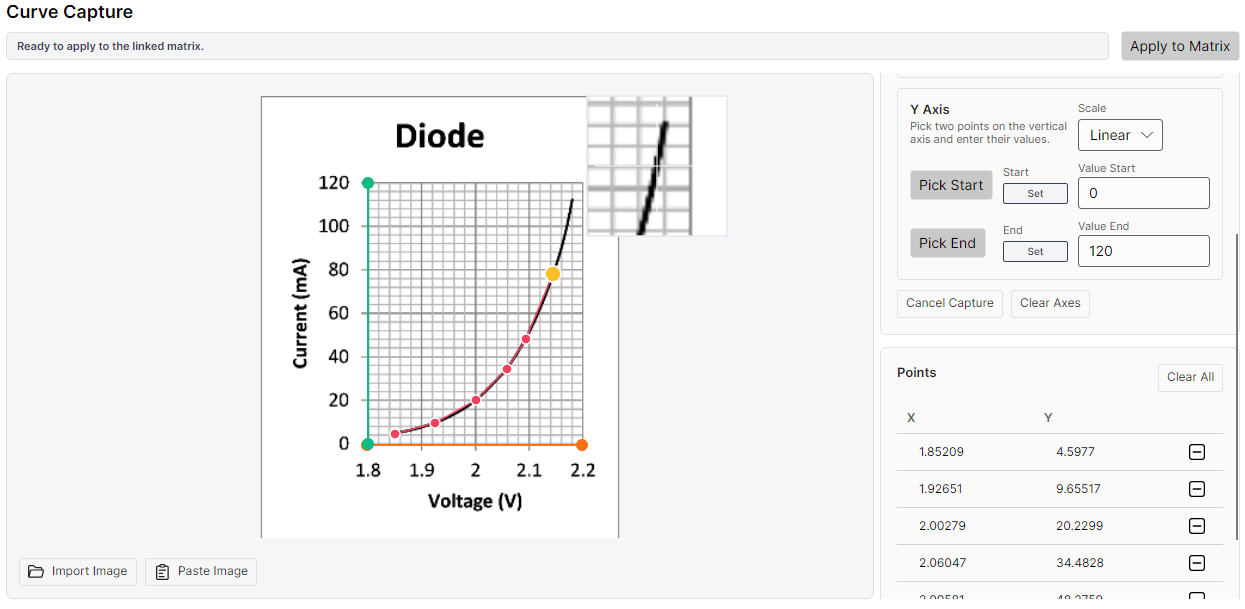
Curve scanning tool: 2D data extraction from images has been added to simplify curve reconstruction workflows. It is available from menus associated with 2D matrix editors.

-
Linux-compatible SIMBA Desktop version: SIMBA Desktop is now available in a Linux-compatible version on simba.io.
-
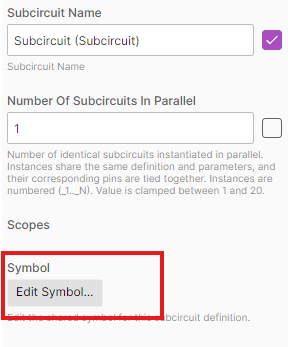
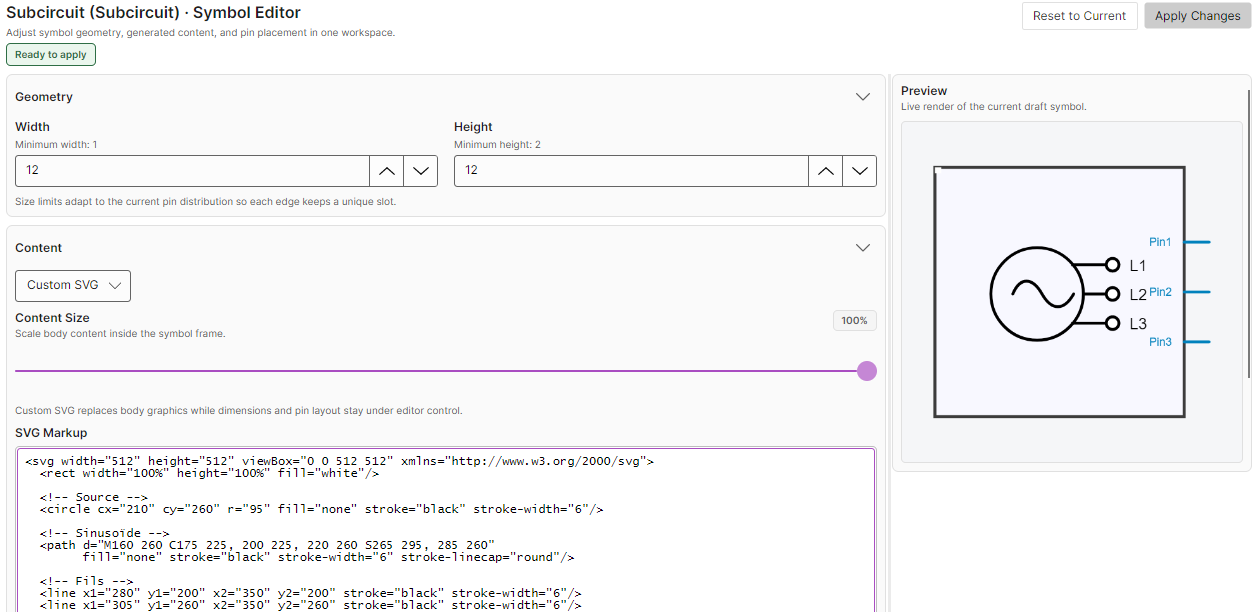
Symbol editor: it is now possible to create custom user-defined symbols for subcircuits.
New models
-
ABC/DQ0 transformer: a new reversible ABC/DQ0 transformer is available for power-domain simulations. (see documentation)
-
Detailed Diode with Reverse Recovery: the detailed diode model now supports reverse recovery behavior for more accurate switching simulations. (see documentation)
-
Coupled Capacitor: a new coupled capacitor model is available for circuits where capacitive coupling must be represented explicitly. (see documentation)
-
Cauer Thermal Model Blocks: new Cauer thermal blocks are available for thermal network modeling. (see documentation)
-
Second Order Generalized Integrator PLL: a new SOGI PLL model has been added for grid synchronization and control applications. (see documentation)
Signal processing and result analysis
This release improves the tools used to inspect, post-process and compare simulation results:
-
Save signals in
.jsimbafiles: signals can now be saved directly into the project file.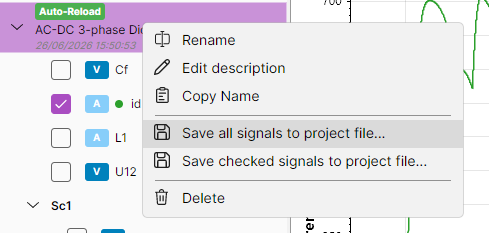
-
Function composition in the Signal Calculator: Signal Calculator expressions can now be composed more naturally, making it easier to build advanced post-processing equations from existing functions. For example : int(id_Current)+int(AC1_Voltage)
-
Improved DFT charts: DFT chart display and numerical accuracy have been improved using a new algorithm. (see documentation)
-
Scope improvements: scopes include usability and display enhancements for result analysis. Scopes can also be renamed.
-
Escape shortcut for chart menus: pressing the Escape key now closes the chart menu.
Test bench and sweep workflows
SIMBA 26.06 improves test bench workflows, especially when working with parameter sweeps and AC analysis:
-
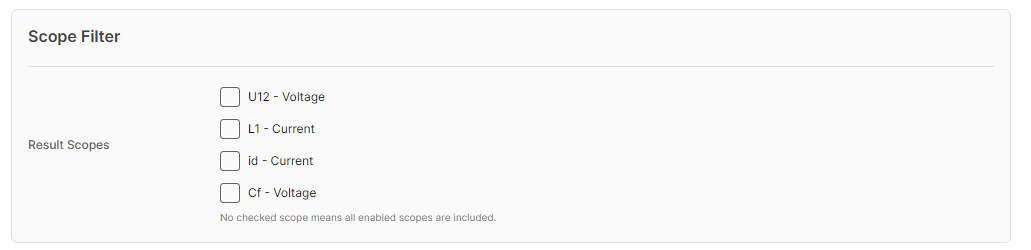
Scope filtering in parameter sweep test benches: scopes can now be filtered more efficiently when analyzing parameter sweep results.
-
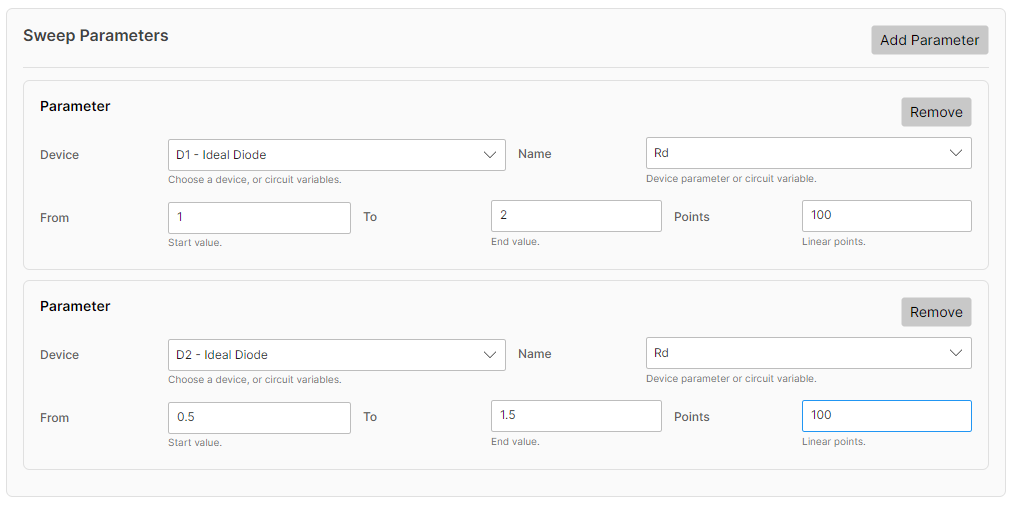
Multi-parameter sweep: multiple parameters can now be defined in the Parameter Sweep test bench for multidimensional parametric analysis.
-
Intermediate AC sweep frequencies: additional intermediate frequencies can be inserted into the frequency range of an AC sweep.
Desktop and user interface improvements
Several improvements make the SIMBA Desktop experience smoother across platforms:
-
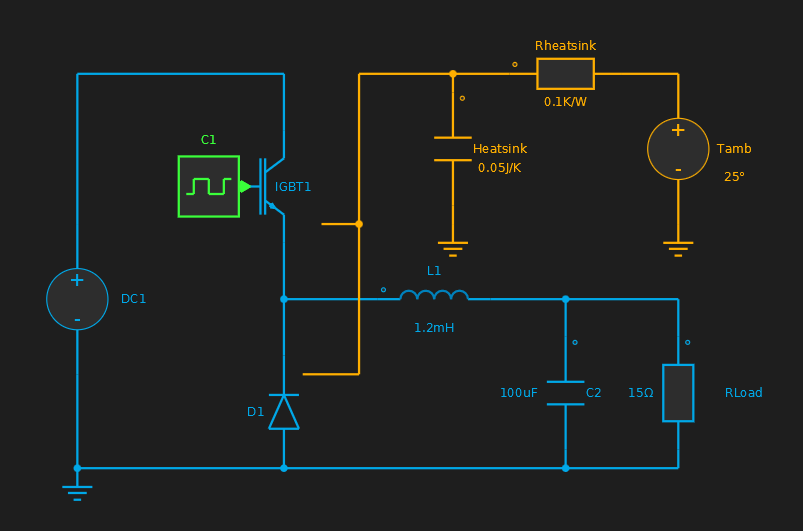
Improved connector visibility in dark theme: connectors are easier to see when using the dark theme.
-
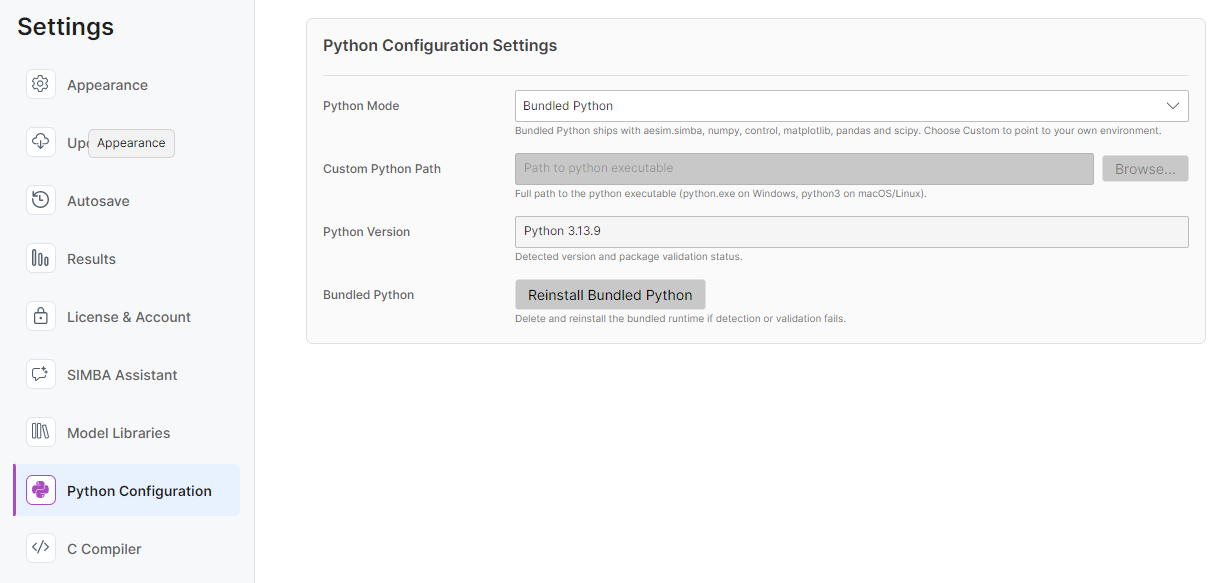
Improved Settings navigation: settings are now organized with a category sidebar for faster navigation.
Bug fixes
SIMBA 26.06 also includes several fixes that improve reliability in project editing, subcircuit handling and result analysis.
Thank you for using SIMBA. We hope SIMBA 26.06 helps you model, simulate and analyze power electronics systems more efficiently.